Databases Explained Simply: What They Are, How They Work, and What They Mean for Your Business
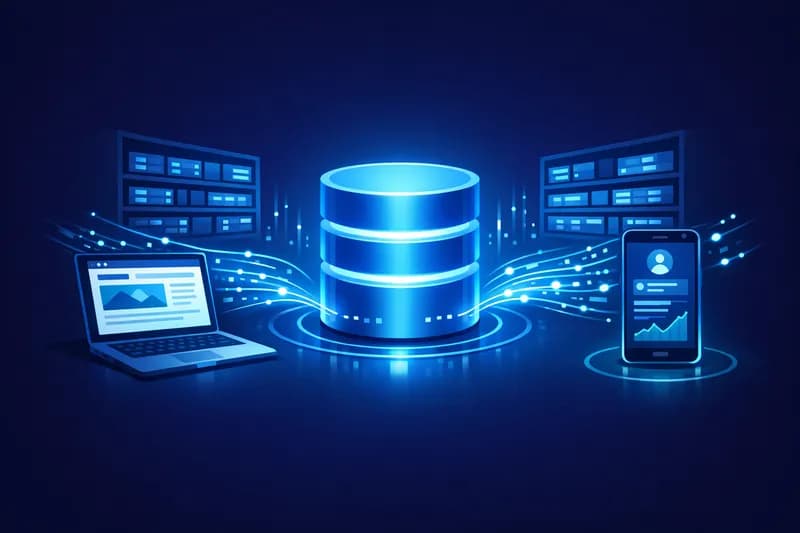
If you have a website, an online store, or an app, there's an invisible element working non-stop behind the scenes: the database. You don't need to be a programmer to understand what it does or why it matters for your business. All you need is a good analogy — and a few minutes of reading.
What Exactly Is a Database?
Imagine a large filing cabinet with folders. Each folder contains information about a customer: their name, address, past orders, and favorite products. Now imagine having thousands of customers and needing to find a folder in seconds, update it, and put it back — hundreds of times a day. Impossible manually, right? A database does exactly that, but digitally and instantly. It stores, organizes, and provides fast access to all the information your business needs: products, prices, users, transactions, reviews, and much more.
How Does a Database Work Behind Your Website?
When a visitor lands on your site and searches for a product, a series of invisible steps happen: the browser sends a request to the server, the server queries the database, the database returns the matching results, and the server displays them on the user's screen — all in under a second. Every click, every login, every order placed involves communication with the database. The speed and reliability of that communication directly determines your customers' experience. A slow or frequently crashing site often has a poorly configured or overloaded database at the root of the problem.
SQL vs NoSQL: What's the Difference and Why Should You Care?
There are two main categories of databases, and choosing between them can significantly impact your business performance and costs. You don't need to understand the code behind them — but it's worth knowing which one fits which type of business.
SQL (Relational) Databases — The Organized Filing Cabinet
SQL databases work like a very advanced Excel spreadsheet: data is organized in rows and columns, and the relationships between tables are strict and well-defined. If you have an online store with products, categories, customers, and orders — all linked together — SQL is the natural choice. Popular examples include MySQL, PostgreSQL, and Microsoft SQL Server. The main advantages are data consistency, financial transaction security, and the maturity of the technology. The downside: scaling becomes expensive and complex when data volume grows exponentially.
NoSQL Databases — The Flexible Warehouse
NoSQL doesn't mean 'no rules'
The wrong database choice won't bankrupt you tomorrow — but it will cost you more in the long run, through higher server bills, poor performance, and migration costs.
Which Type of Database Fits Your Business?
- Online store with products, orders, and customers → SQL (e.g. MySQL, PostgreSQL)
- App with variable content and rapid growth → NoSQL (e.g. MongoDB, Firebase)
- Platform with millions of simultaneous users → distributed NoSQL or hybrid solutions
- Accounting or ERP system → SQL, for financial data integrity
- Simple blog or presentation website → a small SQL database is more than enough
How Does the Database Affect Your Business Costs?
Many entrepreneurs think about costs only in terms of software subscriptions or salaries. But technical infrastructure — including the database — has a direct impact on your budget. A poorly chosen or poorly configured database means: more powerful (and more expensive) servers to compensate for inefficiency, downtime that costs you sales, high migration costs if you decide to switch technologies later, and a poor customer experience that translates into lower conversion rates. Conversely, a well-chosen and optimized database can run efficiently on modest infrastructure, reducing monthly costs and increasing site speed — an important factor for SEO as well.
Questions to Ask Your Web Developer
- What database are you using for my project and why did you choose it?
- How will the solution scale if my traffic grows 10 times?
- Is there automatic data backup and how often does it run?
- What is the monthly cost of database hosting and what does it include?
- What happens if I want to migrate to a different platform in the future?
Conclusion: You Don't Need to Be Technical, But You Need to Be Informed
A database is not a technical detail to be left entirely to others without any understanding on your part. It is the foundation on which your entire digital presence rests. With the right analogies and a few good questions asked of your technical team, you can make better decisions, avoid unnecessary costs, and build a more solid online business. You don't need to write code — but it's worth knowing what's happening under the hood.
Published: